Monostruct: A Bold Display Font for Commanding Visual Impact
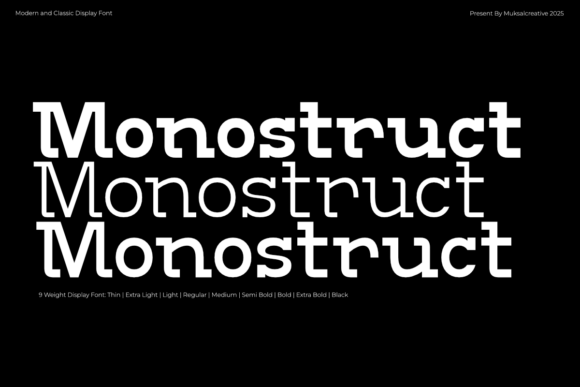
When it comes to typography, the right font can elevate a design from forgettable to unforgettable. Monostruct is one such font that stands out with its strong, modern display style and bold, industrial character. Designed with sturdy letterforms and a balanced geometric structure, it exudes a powerful presence ideal for headlines, branding, posters, packaging, and editorial design. But while its retro-futuristic aesthetic makes it appealing, using it effectively requires understanding both its strengths and potential pitfalls.
What Makes Monostruct Unique?
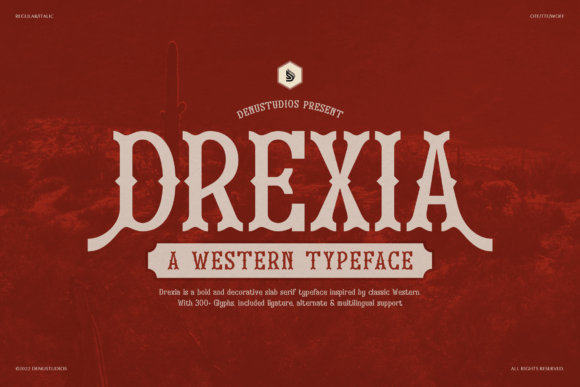
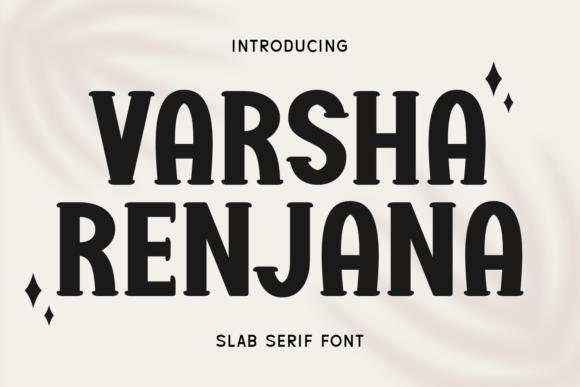
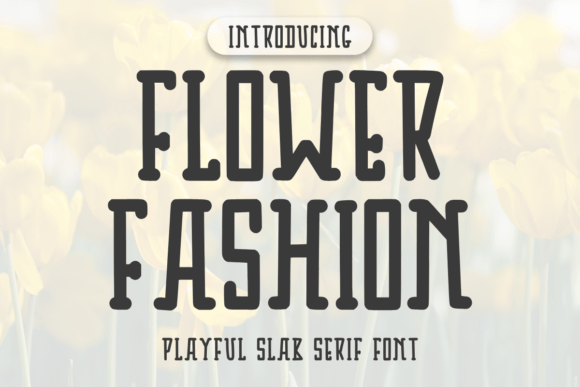
Monostruct blends classic slab-serif elements with a contemporary edge. Its thick, well-defined strokes and structured form give it an authoritative feel, while subtle geometric influences lend it a clean, modern look. This duality allows the font to work across a wide range of applications—from vintage-inspired print projects to sleek digital interfaces. The result is a versatile yet assertive typeface that commands attention without overwhelming content.
Why Designers Choose Monostruct
- Bold Visual Identity: Ideal for logos or brand names where confidence and clarity are key.
- Retro-Futuristic Vibe: Combines nostalgic charm with futuristic precision—perfect for niche industries like tech or automotive.
- High Readability in Large Sizes: Thanks to its geometric balance, it remains legible even when stretched or condensed.
- Strong Contrast: Robust stroke weights help it pop on screens and in print, especially when paired with minimalist layouts.
Common Mistakes When Using Monostruct
While Monostruct is visually striking, it's not always the best fit for every project. Here are some common mistakes people make when choosing or applying this font:
1. Misjudging Legibility at Smaller Sizes
One of the most frequent errors is using Monostruct for body text or small captions. Its bold slab-serif style is optimized for display purposes, meaning it shines in headlines and titles but may become difficult to read in fine print. The dense shapes and heavy weight can crowd together in smaller sizes, reducing readability and confusing the viewer.
Better Approach: Reserve Monostruct for large-scale use. For body copy, pair it with a complementary sans-serif or serif font that offers better clarity at lower sizes. Always test how it looks at various scales before finalizing your layout.
2. Overlooking Kerning and Tracking Needs
Because of its strong character forms, Monostruct sometimes requires manual adjustments to spacing. Leaving kerning and tracking as default settings can lead to cramped or uneven text, especially in short phrases or logos.
Better Approach: Use your design software’s kerning tools to tweak individual letter pairs (like "AV" or "To") and adjust overall tracking to maintain visual harmony. This extra effort ensures a polished, professional appearance.
3. Ignoring Color and Background Considerations
The contrast between Monostruct and its background is crucial. Many designers assume that because it's bold, it will always stand out—but poor color choices can actually mute its impact. For example, placing light gray Monostruct over a white background might reduce its visibility rather than enhance it.
Better Approach: Always choose high-contrast color combinations. Black or dark navy text over a white or off-white background works exceptionally well. Avoid low-contrast pairings unless you're aiming for a specific stylistic effect and have tested it thoroughly across devices and lighting conditions.
4. Underestimating Licensing and Usage Rights
It's easy to get excited about a new font and overlook licensing details. Some users download Monostruct assuming it's free for all uses, only to later discover restrictions when they publish their work online or in commercial formats.
Better Approach: Before purchasing or downloading Monostruct, carefully review the license agreement. Ensure it covers your intended use cases—such as web embedding, print media, or multi-user access. If unsure, consult with a legal advisor or reach out to the foundry directly.
Choosing the Right Projects for Monostruct
To make the most of Monostruct, consider the context of your design. It’s not a universal font—it thrives in environments where boldness is welcome and readability isn’t compromised by scale. Here are some scenarios where it excels:
- Brand Logos: Its commanding presence helps create a memorable identity.
- Advertising Campaigns: Perfect for taglines or call-to-action statements that need to grab attention quickly.
- Editorial Headlines: Adds weight and structure to magazine spreads or blog headers.
- Packaging and Signage: Works well on product labels or storefront signs due to its clarity and strength.
When Not to Use Monostruct
On the flip side, avoid using Monostruct in situations that demand subtlety or long blocks of text. Its aggressive style can clash with softer designs or become tiring to the eye if used excessively. Also, be cautious when combining it with other bold fonts—this can lead to visual clutter and confuse the hierarchy of information.
How to Integrate Monostruct Effectively
Once you’ve decided to use Monostruct, the next step is integrating it into your project without compromising usability or aesthetics. Here are some practical tips:
Use Proper Hierarchy
Pair Monostruct with lighter, more delicate fonts to create visual balance. For instance, a headline in Monostruct could transition smoothly into body text in a clean sans-serif like Helvetica or Arial. This approach maintains focus on the main message while keeping the supporting content easy to digest.
Experiment with Weight Variants
If available, explore different weight options within the Monostruct family. While the standard bold variant is impactful, lighter versions might offer more flexibility for subheadings or secondary text. However, ensure these variants still align with the font’s core personality to maintain consistency in your design.
Test Across Devices and Formats
Always preview Monostruct on multiple platforms. How it looks on a desktop screen can differ significantly from a mobile device or printed material. Pay special attention to how it renders in low-resolution contexts—some fonts lose detail when compressed or scaled down too much.
Evaluating Alternatives to Monostruct
Before committing to Monostruct, it’s wise to compare it with similar display fonts. Fonts like Bebas Neue, Montserrat ExtraBold, or Trade Gothic Next offer comparable boldness but with different nuances. Each has its own unique flavor and set of optimal use cases.
Tip: When evaluating alternatives, consider factors beyond aesthetics—such as glyph coverage, multilingual support, and compatibility with your preferred design tools. Sometimes, a slightly less bold option might perform better depending on your audience or medium.
Avoiding the "More is More" Trap
Many beginners fall into the trap of thinking that bolder is always better. While Monostruct is designed to stand out, overuse can dilute its effectiveness. Apply it sparingly and strategically to highlight the most important parts of your design. Let it breathe so it doesn’t overshadow supporting visuals or content.
Practical Checklist Before Using Monostruct
Here’s a quick list of considerations to keep in mind before implementing Monostruct in your next project:
- Is this a display-only purpose? (Headline, logo, title)
- Will the text be readable at the intended size?
- Am I using appropriate spacing and alignment techniques?
- Does the color scheme complement the font’s bold nature?
- Have I verified the license includes my usage scenario?
Conclusion
Monostruct is a powerful tool in the designer’s arsenal, offering a unique blend of retro and modern sensibilities. But like any bold font, it needs careful handling to maximize its potential. By avoiding common missteps and applying thoughtful design principles, you can leverage its strong character to create compelling, professional results. Remember, the goal is to enhance communication—not just to impress with style.