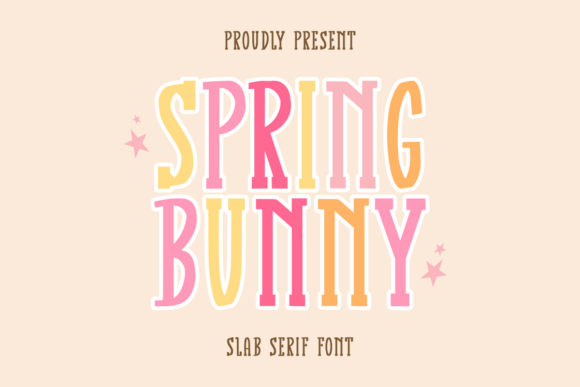
Spring Bunny: A Handwritten Slab Serif Font for Everyday Creativity
Fonts play a subtle but powerful role in shaping how information is perceived. They influence mood, readability, and the overall aesthetic of a project. Whether you're designing a planner, crafting a greeting card, or creating educational materials, the right font can elevate your work from ordinary to extraordinary. Spring Bunny is a delightful handwritten slab serif font that brings charm, personality, and a touch of whimsy to any text-based design. Its unique character makes it an excellent addition to creative and professional workflows alike.
What Is Spring Bunny?
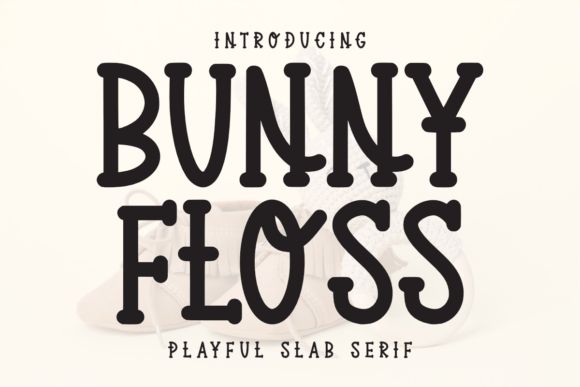
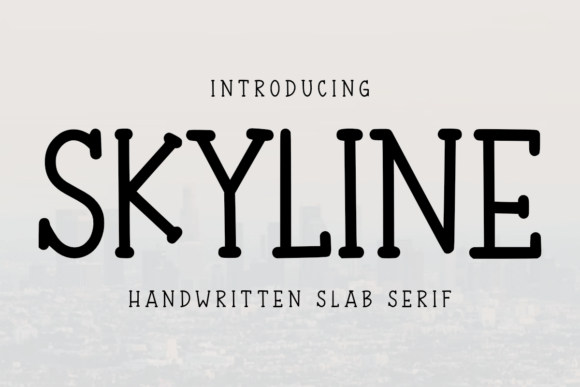
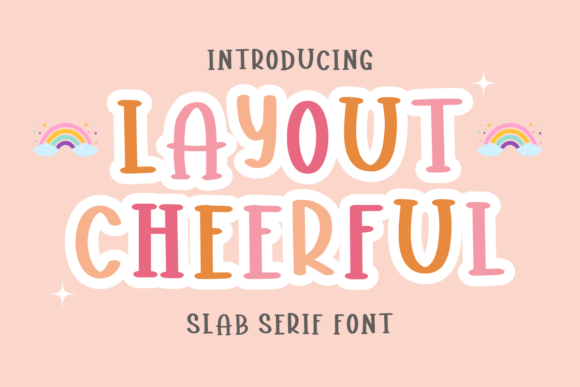
Spring Bunny is a typeface designed with both style and functionality in mind. As a slab serif font, it features thick, block-like serifs—those small lines at the ends of characters—that give it a bold and friendly appearance. But what truly sets it apart is its handwritten quality, which adds warmth and authenticity. This combination of structure and spontaneity makes it ideal for use in contexts where you want to maintain clarity while infusing creativity.
The font is especially well-suited for projects involving personal expression or visual storytelling. It's not just about looking good; it’s about feeling good. The playful nature of Spring Bunny helps make tasks like journaling, note-taking, and planning feel more engaging and less rigid.
Where Spring Bunny Fits Into Your Workflow
Integrating Spring Bunny into your workflow can begin before you even start a project. For instance, if you're outlining content for a KDP (Kindle Direct Publishing) book, using this font during brainstorming sessions or early drafts can help set the tone and inspire a more creative direction. Its distinct look encourages a sense of individuality and care, which are essential for capturing attention in today’s saturated digital market.
During the creation process, Spring Bunny shines when used in conjunction with other tools and platforms. If you’re working on a monthly planner using Canva or Adobe InDesign, applying Spring Bunny to headers, motivational quotes, or decorative elements can enhance the visual hierarchy without overwhelming the layout. Similarly, educators who create worksheets or workbooks may find it useful for titles, headings, or interactive prompts, making learning materials more approachable and visually stimulating for students.
After a project is complete, Spring Bunny can still contribute by adding a final flourish to printed or digital outputs. Consider using it for thank-you cards, promotional flyers, or social media posts related to your work. The font’s versatility ensures it can adapt to various stages of a project, offering value from ideation through execution and beyond.
Use Cases Across Industries and Interests
- Interior Design for KDP Books: Spring Bunny is particularly effective in enhancing the interior pages of self-published books. Its handwritten appeal gives readers a tactile sense of intimacy, making it perfect for journals, devotionals, or children's stories.
- Event Invitations and Cards: When designing invitations for events like weddings, baby showers, or birthday parties, Spring Bunny adds a charming and eye-catching element. Its legibility ensures guests can read key details easily while enjoying the visual delight of the font.
- Productivity Tools and Planning: From daily planners to weekly calendars and to-do lists, Spring Bunny breathes life into mundane formats. Using it for task headers or motivational blurbs can encourage engagement and make staying organized feel more enjoyable.
- Scrapbooking and Personal Projects: Scrapbookers and diary keepers will appreciate how Spring Bunny enhances handwritten notes and embellishments. It complements photos and mementos beautifully, turning simple paper layouts into vibrant keepsakes.
- Marketing and Branding: Marketers and entrepreneurs can leverage Spring Bunny for brand assets such as posters, brochures, or packaging. Its friendly, handcrafted feel aligns well with brands that prioritize authenticity and connection.
Practical Tips for Using Spring Bunny Effectively
To get the most out of Spring Bunny, consider the following best practices:
- Pair Thoughtfully: While Spring Bunny stands out on its own, it pairs well with clean sans-serif fonts like Montserrat or Open Sans for body text. This contrast helps balance the whimsical nature of the font with the need for readability.
- Limit Usage for Key Elements: Use Spring Bunny for titles, headings, and accents rather than full paragraphs. Overuse could lead to decreased readability, especially in long-form content.
- Test on Multiple Surfaces: Before finalizing a design, check how Spring Bunny looks across different mediums. On-screen versus print can vary significantly, so ensure it maintains its charm and clarity wherever it appears.
- Stay Consistent: To maintain a cohesive design, apply Spring Bunny consistently across all relevant elements. This includes section headers, bullet points, and decorative flourishes within the same document or project.
- Complement with Visual Assets: Enhance the impact of Spring Bunny by pairing it with complementary visuals such as watercolor backgrounds, floral borders, or soft pastel colors. These combinations can amplify the font’s natural warmth and elegance.
Integration with Common Tools
Spring Bunny is compatible with many design and publishing platforms, including Adobe Creative Suite, Microsoft Office, Google Docs, and online tools like Canva and Crello. Once installed, it behaves like any standard font, allowing you to adjust size, color, and spacing according to your needs.
For those using KDP interiors, Spring Bunny can be integrated into Word documents or InDesign templates to add personality to chapter titles, sidebars, or call-out boxes. Always verify that the font is properly embedded when exporting files for print or digital distribution, to avoid compatibility issues.
Preparing to Use Spring Bunny in Your Projects
Before diving into a new project with Spring Bunny, take a few moments to plan how it fits into your overall design strategy. Ask yourself questions like:
- What kind of tone do I want to convey?
- Will this font complement my existing visual assets?
- Am I using it in a context where legibility is key?
Answering these questions upfront ensures that Spring Bunny is used purposefully, not just for novelty. Preparation also involves understanding file formats and licensing. Confirm that the font supports the languages and symbols you’ll need, and always adhere to the terms of use provided by the font creator or distributor.
Organizing Your Workflow with Spring Bunny
When organizing a project around Spring Bunny, think of it as a design tool rather than just a font. Here’s how it can support structured workflows:
- Brainstorming Phase: Use Spring Bunny in concept sketches or mood boards to visualize how it might fit into the final product.
- Design Development: Incorporate it into mockups for client reviews or internal feedback. Highlight how it affects the overall look and feel of the project.
- Finalization: Apply it to polished versions of your work, ensuring it meets quality control standards for consistency and presentation.
By considering each stage, you can streamline the integration of Spring Bunny into your creative or business processes, avoiding unnecessary revisions later on.
Enhancing Efficiency and Quality
One of the most significant benefits of using Spring Bunny is how it contributes to efficiency without compromising quality. Because it's a downloadable font, it eliminates the need for custom illustrations or clip art to achieve a handwritten effect. Simply install the font, select it in your design software, and let it bring a fresh perspective to your work.
This efficiency is particularly valuable for creators who juggle multiple projects. Whether you're designing a printable planner or preparing marketing materials, Spring Bunny allows you to maintain a high-quality output while saving time on stylistic choices. Additionally, its consistent stroke width and clear letterforms reduce the likelihood of typographical errors, supporting accuracy in your communications.
Long-Term Use and Adaptability
As your creative needs evolve, so too should your font selection. Spring Bunny isn’t limited to one-time projects—it can become a staple in your design toolkit. Many professionals and hobbyists find themselves returning to it for seasonal updates, special editions, or personalized items due to its timeless appeal.
Its adaptability also means it can be updated or rebranded over time without losing relevance. If you ever decide to refresh a planner template or redesign a workbook, Spring Bunny remains a versatile choice that can blend seamlessly with new trends while retaining its core charm.
Bringing Personality to Professional Work
Even in professional environments, Spring Bunny can add a human touch. Freelancers, consultants, and small business owners often benefit from a font that conveys warmth and approachability. It works well in proposals, presentations, and client-facing documents, especially when aiming for a creative or lifestyle-oriented brand image.
Teachers and educators can similarly use Spring Bunny to make learning materials more engaging. Think of it as a way to break up dense academic content with inviting headers or fun activities. It doesn’t replace traditional fonts but complements them, helping students stay motivated and focused.
Combining Spring Bunny with Other Methods
Spring Bunny is most effective when used alongside other design and organizational methods. For example:
- Design Systems: If you follow a specific design system, incorporate Spring Bunny as a secondary or accent font to maintain brand identity while introducing variety.
- Color Theory: Pair it with muted or pastel tones to enhance its soft, handwritten characteristics. Avoid overly bright or contrasting colors unless you’re going for a bold statement.
- Graphic Elements: Combine it with icons, illustrations, or textures to build a layered, dynamic layout. This approach works especially well for printable products and digital content alike.
These strategies help ensure Spring Bunny integrates smoothly into your broader creative or professional ecosystem, reinforcing your message without overshadowing it.
Conclusion
Spring Bunny is more than just a font—it’s a design asset that can transform how you communicate ideas. Whether you're creating something for personal enjoyment or professional success, it offers a balance between style and function. By understanding where and how to use it effectively, you can integrate Spring Bunny into your workflow with confidence, knowing it adds value at every stage.
From KDP book interiors to event invitations, from productivity tools to branding efforts, Spring Bunny proves that even the smallest design choices can have a big impact. So next time you're working on a project that needs a little extra flair, consider reaching for Spring Bunny. Let it bring a touch of charm, playfulness, and personality to your written creations.